Copy This First
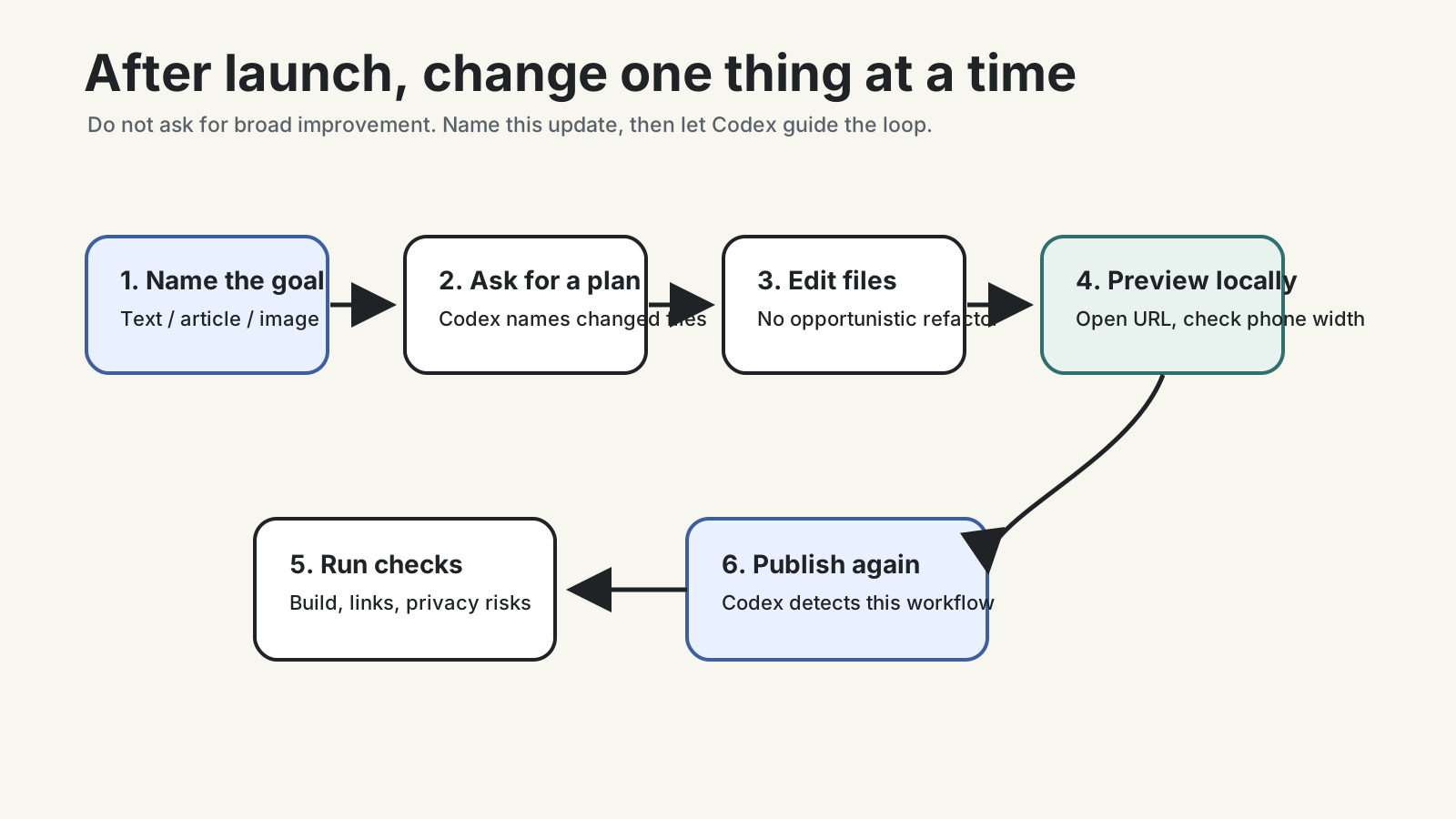
Every time you want to update the site, make the scope small.
I want to update this personal website.

This update changes only one thing:
write the exact thing you want to change

First inspect the current project structure. Do not edit files yet.
Tell me:
1. which files are most likely involved;
2. whether there is any privacy or publishing risk;
3. how you would make the smallest change;
4. which local pages I should inspect afterward;
5. do not publish online until I confirm.
This is much more reliable than “improve my website.” Maintaining a beginner site is not a full renovation. It is one careful change at a time.
If You Only Change One Sentence
Maybe you want to change the homepage intro, a button label, or a paragraph on the about page.
Copy:
I only want to change one piece of text on the website.

Approximate location:
write the page name, such as home, about, or contact

Old meaning:
write it if you remember it; if not, say you are unsure

New meaning:
write what you want to say

Rules:
- keep the navigation unchanged;
- keep the overall layout unchanged;
- avoid exaggerated marketing language;
- use plain language;
- when done, tell me which file changed;
- give me the local preview URL and the page I should check.
If you cannot describe the location, send the visible page text or a screenshot description and let Codex locate it first.
If You Add An Article
Do not guess which folder should hold the article.
Copy:
I want to add a new article to this personal site.

Working title:
write the title

Main idea:
write three to five sentences

First decide whether this belongs in writing, notes, tutorials, or another existing content area in this project.
If there is no good location, suggest the smallest option.

Rules:
- judge the location before creating files;
- match the style of existing articles;
- do not include private drafts, client information, or unverified claims;
- run the necessary checks after creating it;
- tell me the local preview URL.
Your job is to know what you want to say. Codex can handle folders, frontmatter, tags, and routes first.
If You Replace An Image
Images are riskier than text because they often hide details you did not notice.
Copy:
I am considering using this image on the website.

Image location:
paste the image path, or describe where it is

Check it from a public publishing perspective.
Look for:
- addresses, phone numbers, documents, schools, plates;
- clients, contracts, admin dashboards, chat records;
- faces or family details that may not be appropriate to publish;
- file names that expose private information;
- whether the image dimensions fit the current page.

Only check first. Do not move, compress, publish, or replace the file yet.
If an image involves family, children, clients, dashboards, or contracts, skip it unless you are sure.
If You Are Ready To Publish The Update
Do not guess whether you should upload files, commit code, or click a platform button.
Let Codex detect the current workflow:
I have checked this update locally.

Please inspect the current project and tell me how this site is currently published.
It may be Git integration, Cloudflare Pages auto-deploy, Direct Upload, or something else.

Rules:
1. only give steps relevant to this project;
2. do not make me manually upload dist or build unless this project truly uses that workflow;
3. run the necessary checks before publishing;
4. after publishing, tell me which public URLs I should open;
5. if I need to sign in, authorize, or confirm in the browser, open or clearly name that page.
If you previously used GitHub plus Cloudflare Pages authorization, you usually should not drag build output into a page by hand. Codex should read the project reality instead of explaining every possible platform flow.
If Something Breaks
Do not delete random files. Do not rebuild the whole site.
Copy:
After the last change, I see this problem:
describe the problem, ideally with the exact error or visible symptom

First decide whether it is:
1. a content issue;
2. a layout or mobile display issue;
3. a link or image path issue;
4. a build or deployment issue.

Give me the smallest fix.
Do not rebuild the whole site.
Do not change unrelated content.
Most problems are small: a link, an image path, text overflow, or a command that needs to run again. Smaller scope makes repair easier.
Use This Checklist Every Time
Before editing:
- change one thing;
- ask Codex to name the files first;
- check privacy when images, accounts, clients, or family details are involved;
- tell Codex not to refactor opportunistically.
After editing:
- open the local preview;
- check phone width;
- run the build or necessary checks;
- publish;
- open the public URL.
If Codex gives you ten extra improvement ideas, say:
Please handle only the one change I just requested.
List the other ideas as a later backlog. Do not modify them now.
Done Means This
This step is complete when you can:
- start an update with a small-scope prompt;
- ask Codex to find the right file or folder;
- add articles, replace images, and edit text with separate prompts;
- ask Codex to detect the current publishing workflow before updating online;
- describe symptoms instead of rebuilding everything when something breaks.
Now the site is no longer a one-time artifact. It is a place you can maintain.
Next: Step 6: Check privacy and common mistakes before publishing.
Public social links