Copy This First
Before every publish, send this to Codex:
Do a pre-publish check for the current website.

Rules:
- inspect the current project directory only;
- do not read files outside this directory;
- do not publish;
- delete nothing;
- list risks first, then suggest fixes;
- if a risk is uncertain, mark it as "needs my manual confirmation."

Check:
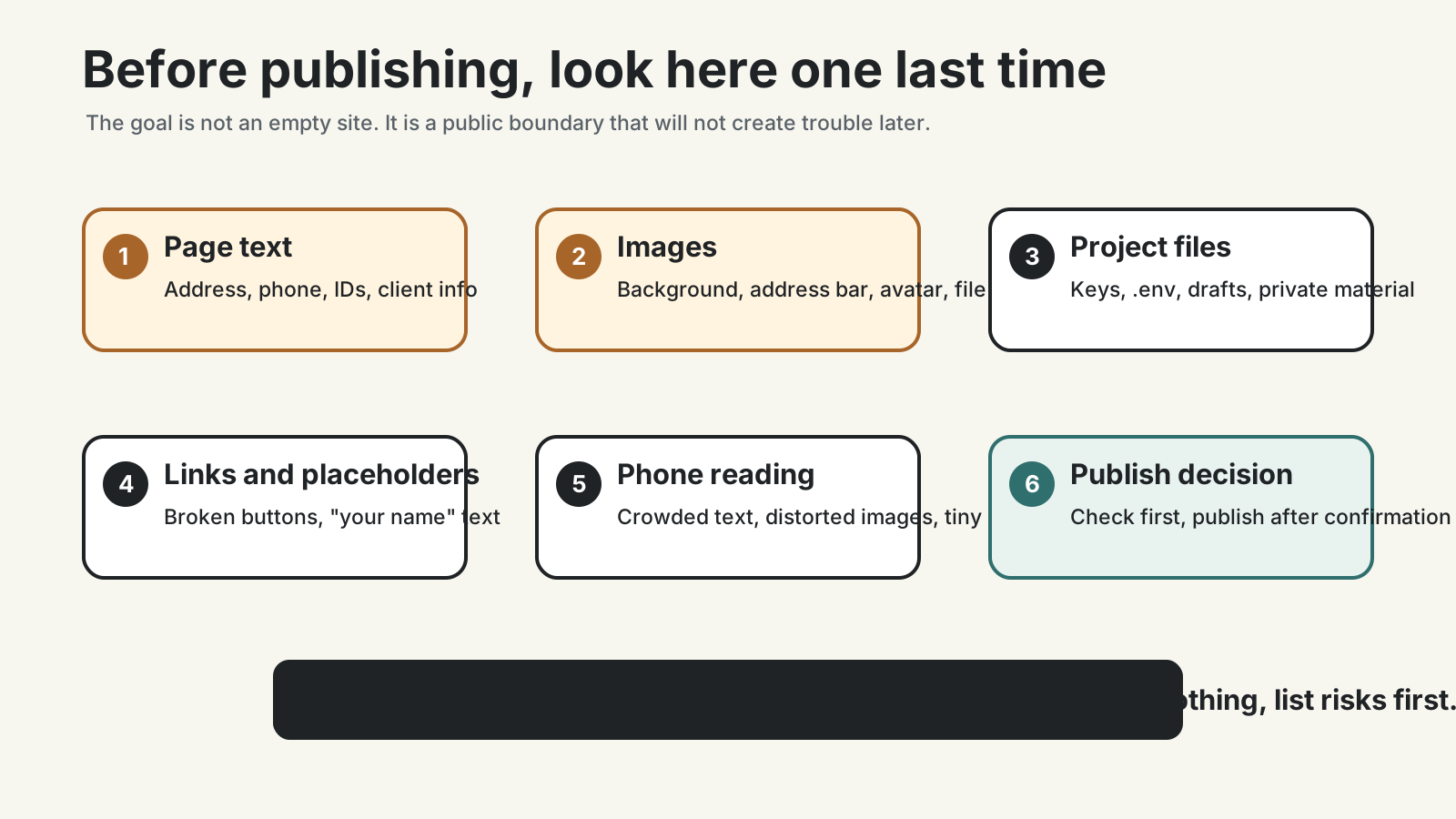
1. whether public pages contain addresses, phone numbers, IDs, children's schools, client files, contracts, or admin screenshots;
2. whether images contain private information;
3. whether file names or links reveal private information;
4. whether API keys, passwords, environment files, or account credentials are present;
5. whether placeholder text is still visible;
6. whether any links are broken;
7. whether anything is hard to read on a phone;
8. whether the current build or preview matches what I am about to publish.

Explain each risk in ordinary language.
The key is: inspect first, do not publish, delete nothing. Understand the problem before changing anything.
Ask Yourself One Question
Before publishing, ask:
If a stranger opened this page, would I be comfortable with them seeing everything here?If the answer is unclear, do not publish yet.
A personal website is not a private chat. It has no built-in relationship boundary. Search engines may index it, people may forward it, and years later you may forget what you once placed there.
If Codex Reports Privacy Risks
Do not ask for a large rewrite right away.
First ask for levels:
Please divide the risks you found into three groups:

1. must remove or replace before publishing;
2. may be publishable, but needs my manual confirmation;
3. ordinary issue that does not block publishing.

Explain each reason.
Do not edit files yet.
This avoids rewriting the whole article for a small issue, while still treating real risks seriously.
If Images Or Screenshots Are Involved
Inspect images separately. Text privacy is easier to notice. Image privacy is easier to miss.
Common risks include:
- a desktop screenshot with private file names;
- a browser address bar showing an admin path;
- an avatar, email, or account name in the corner;
- a door number in the photo background;
- a school name on clothing;
- a work image with client information that is not public.
Copy:
I am about to publish this image or screenshot.

Tell me what I should manually inspect before publishing it.
List the checks from left to right and top to bottom.
If you can read the image, point out risks you can already see.
If you cannot read the image, only give me the manual checklist.
Do not rely on tools alone. Zoom in and inspect the image yourself.
If It Is Only A Common Issue
Privacy is not the only problem. Small ordinary issues can make the site feel unfinished:
- the homepage still says “put your name here”;
- the contact email is wrong;
- a button opens nothing;
- images are distorted;
- phone text is too small or crowded;
- the title does not match the page;
- a Chinese page links to the wrong English page;
- the article date is clearly wrong;
- the public URL fails while the local preview works.
These are not embarrassing. They are exactly what a pre-publish check is for.
If Codex lists problems but not fixes, say:
Please sort these ordinary issues by priority.
Fix reading and broken-link issues first.
Handle only one category at a time, then tell me the local preview URL.
If You Already Published Something You Should Not Have
Do three things first:
- Remove or replace the content in the site project.
- Publish again.
- Open the public URL and confirm the content is gone.
Then ask Codex to check for leftovers:
I removed content that should not have been public.

Check the current project and build output for any remaining copy of that content.
Only inspect this project. Do not access private files.
If an online cache may still show it, tell me how to confirm.
Deleting something from your site does not mean every internet cache disappears immediately. The earlier you catch the problem, the easier it is to handle.
Do Not Make The Site Empty In The Name Of Safety
Privacy checking does not mean writing nothing.
You can still publish:
- the questions you care about;
- public projects you have done;
- work you are willing to show;
- a contact path you control;
- lessons from a process.
Avoid the details that create trouble for you, your family, clients, or collaborators.
A plain article with a clean boundary ages better than a flashy article full of private material.
Done Means This
This step is complete when:
- public pages have no obvious privacy issue;
- images do not reveal information you meant to keep private;
- contact information is intentional;
- main links work;
- the site is readable on a phone;
- placeholder text is gone;
- Codex did not include files that should stay private;
- if a problem appears, you know to remove it, publish again, and check the public URL.
This completes the first phase of “build your first personal site with Codex.”
You do not understand every technical detail. You have done the more important loop: start from an empty folder, let Codex create version one, preview it locally, publish a free URL, think about domains, learn to update, and check the boundary before publishing.
After this, let the site grow slowly. Do not rush to turn it into everything. Make it a place you are willing to keep maintaining.
Public social links