Copy This First
If you can open Codex in an empty folder, copy this now:
I want to start using AI to help me get things done, but I am not a programmer
and I do not want to learn a bunch of jargon first.

Please tell me: in this folder, what can you help me with?
Can I ask you to read files, change content, make a plan, explain something, or check for errors?
Give me one small first task I can do here — steps small enough that you can guide me through each one.
This prompt requires no technical knowledge. It does one thing: makes Codex tell you what it can do and where to start.
This Series Is Not an AI 101 Course
Most AI tutorials start by teaching “what is a large language model,” then ask you to memorize product logos and buzzwords.
This series is not that.
What ordinary people actually need is much simpler:
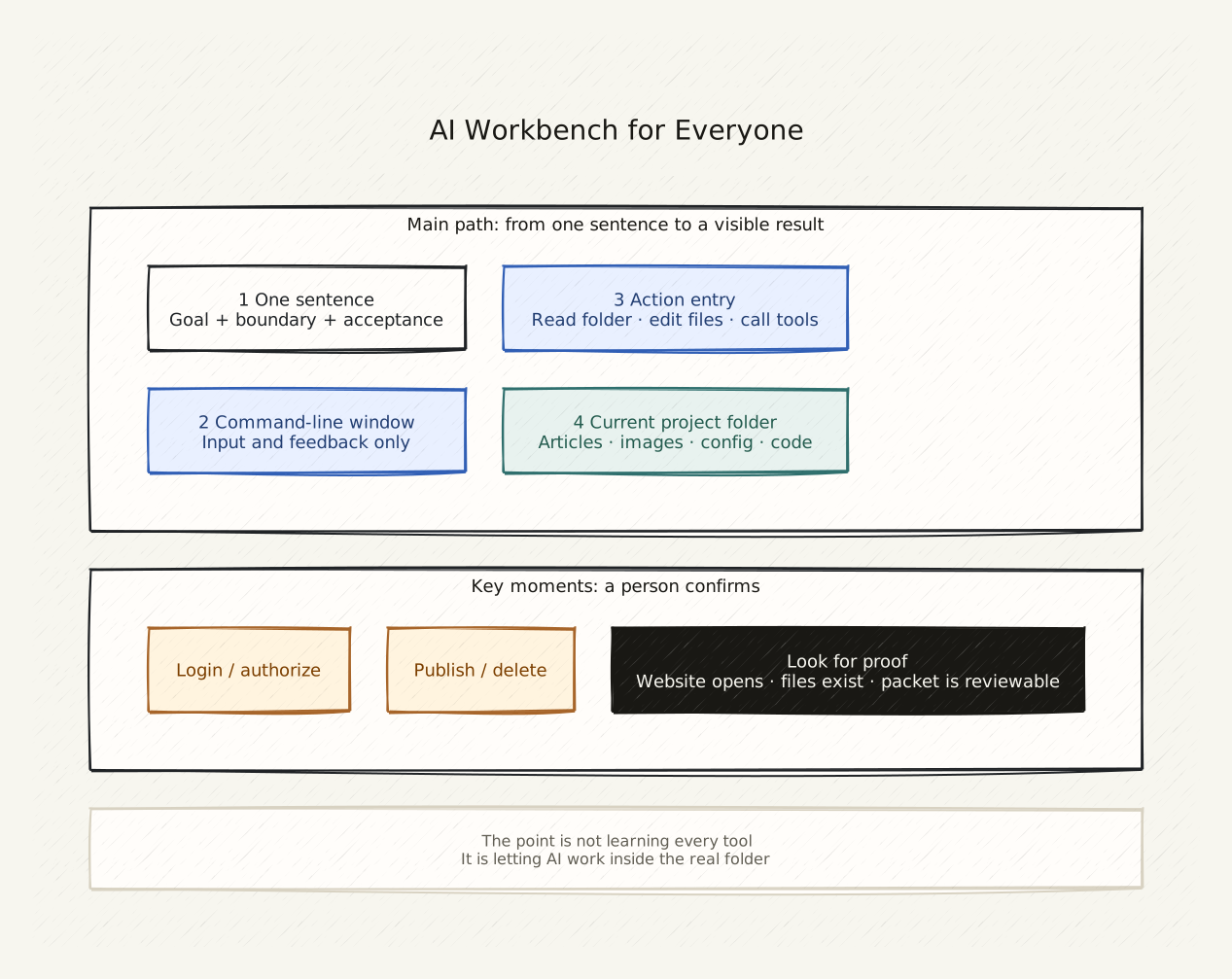
One command-line window where you type plain English. An AI that reads the current folder, edits files, opens pages, calls tools, runs checks — and stops at the moments that need human confirmation.
You do not need to know what a token, Agent, MCP, or API is.
You only need to know how to say:
- “Help me sort through the files in this folder”
- “Rewrite this paragraph in English”
- “Look at this contract and tell me what to watch out for”
What You Will Be Able to Do After This Series
- Stop being afraid of the word “command line”
- Know which interface — app, web chat, desktop client, IDE, CLI — fits each situation
- Copy a prompt and get Codex to start a real task in your current folder
- Understand that AI tools are not about quantity; the question is whether a tool can reach your actual work
- Describe a goal, materials, boundaries, and acceptance criteria in plain language
- Know when to stop and confirm before authorizing, publishing, paying, or deleting
Series Structure
Each article answers one specific question. You can start anywhere, but reading in order is most efficient.
Who This Series Is For
This series is for you if you:
- Want to build a personal website, portfolio, or resume page
- Are a designer, artist, freelancer, small business owner, teacher, parent, or student
- Are interested in AI but have been intimidated by product names and technical tutorials
- Have used chat bots but did not know AI can also manage files, organize materials, and publish content for you
This series is not for you if you:
- Want a systematic study of AI principles, model training, or deep learning
- Are already a developer who uses CLI, Git, and APIs daily and wants deep customization
- Need the latest model rankings and product comparisons
How to Know You Are Done With This Page
You do not need to memorize any terms.
After reading this page, you only need to know one thing:
Your next step is to find the terminal window on your computer and hand it to Codex.
Start here: Why I Think One Command-Line Window Is All You Need.
Public social links