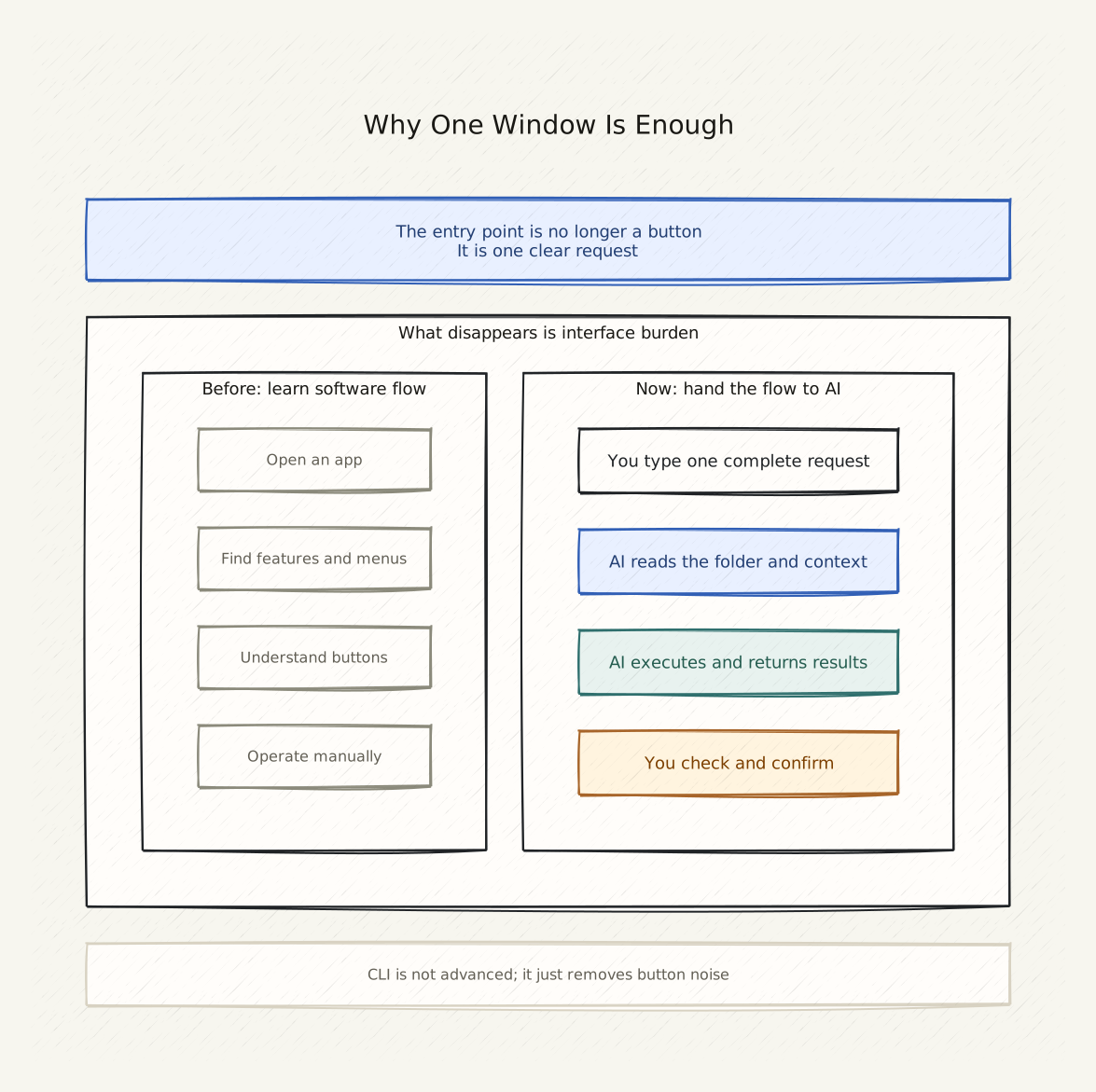
One Clear Statement
CLI is not advanced — it is the cleanest entry point: no buttons to navigate, just one question — what do you want to do?
Copy This First
I want to do something specific today: turn my resume into a webpage I can send to someone.

Please tell me:
1. Can this be done in the current folder?
2. What is the very first step I need to take?
3. What do I need to tell you so you can start helping?

Do not assume I know Git, deployment, HTML, or any website jargon.
The Real Scene
You open your computer and see folders, icons, and browser windows.
Someone tells you “use AI to get things done,” and your first reaction is: “which app do I open?”, “how much does it cost?”, “what command do I type?”
But the real question is only one:
Can AI help me complete this task in this folder?
The command-line window answers exactly that question. It does not ask who you are, what tool you want to learn, or which product you want to compare. It asks only one thing: what plain-English sentence are you going to type?
Minimal Explanation
People do not really hate computers — they hate being forced to understand a software’s internal workflow.
For example, you want to “turn this document into a webpage,” but the software tells you must:
- Open Word
- Save as HTML
- Open a web editor
- Modify CSS
- Upload to a server
Each step requires learning a new tool.
The AI era changes this: you want “this document turned into a webpage,” you just say so — and AI figures out the workflow, calls the tools, executes the steps.
The command-line window (CLI)‘s value is exactly this: no buttons, no “next” buttons, no menus. Just one place waiting for your input, where AI can read your directory, your files, your goal.
CLI vs. App
| Phone App / Web Chat | Command-Line Window | |
|---|---|---|
| Can read your files? | ❌ Usually not | ✅ Yes |
| Can edit your files? | ❌ No | ✅ Yes |
| Can run commands? | ❌ No | ✅ Yes |
| Can call external tools? | Limited | ✅ Yes |
| Best for | Quick questions | A specific project |
Apps and web chat can answer questions, but they do not know what is on your computer.
The command-line window does. Because Codex runs right on your machine — it can see every file in your current directory.
What Codex Can Actually Do
- Create a webpage in your current directory
- Rewrite a paragraph in English
- Explain what a file in your folder is doing
- Check your writing for errors
- Turn your resume into a website
- Resize an image for the web
- Publish an article online
Apps and web chat cannot do these things — because they do not know what is on your computer, what your folder structure is, or what format you want the final result in.
A Reusable Prompt
If you want Codex to help you do something you have never done before, start like this:
I want to [your goal] but I do not know where to start.

Please ask me what you need to know first.
If this can be done in [your folder path], tell me the very first step.
Replace the bracketed parts with your actual situation. Codex will tell you what it needs and what to do next.
If You See This
You see a login page:
Tell Codex the state of the page: “I see [page title] asking for [required fields]” — let Codex tell you which account to use.
A wall of English text appears in the terminal:
Do not guess. Copy the whole text and send it to Codex. It will tell you what to do next.
Not sure if a file can be edited:
Tell Codex: “I have a [filename] and I am not sure if I can edit it here” — it will tell you what it can and cannot do.
Codex says it cannot do something:
Ask it: “Is there another way? What do I need to do first to make this possible?”
How to Know You Are Done
You do not need to remember any commands or technical terms.
After reading this page, you only need to do two things:
- Find the command-line window (terminal) on your computer
- Open Codex and type one complete sentence
Next: AI Tools Actually Come in Four Types — understand what kinds of tasks AI can help you with.
Hint: On macOS the command-line window is called Terminal, on Windows it is Command Prompt (CMD) or PowerShell. Codex will help you run things in the right window.
Public social links