One Clear Statement
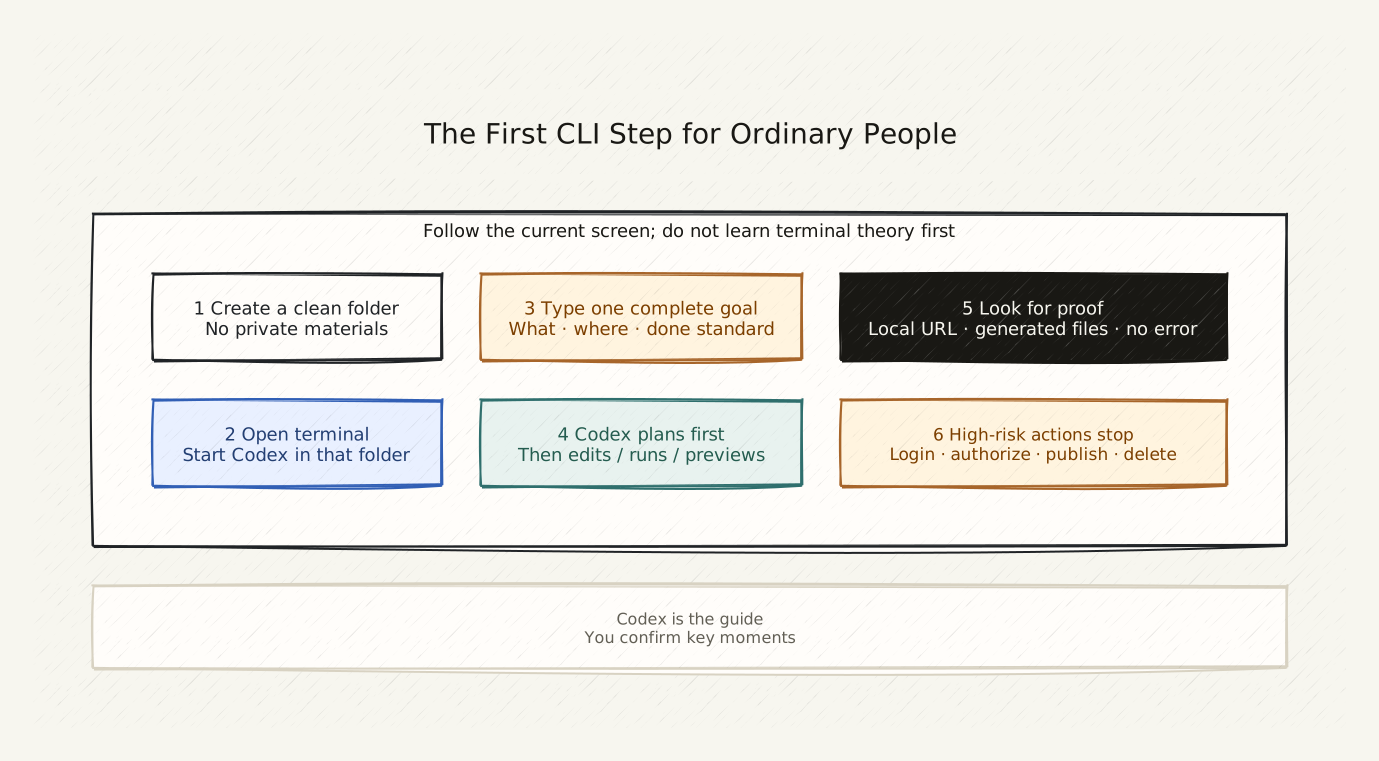
CLI is not mysterious. It is just another entry point. What guides you is Codex — not you.
Copy This First
I want to start using Codex in this folder, but I do not know what to do next.

Please tell me:
1. What should we do right now?
2. If I encounter a page or error I do not recognize, what should I do?
3. When should I stop and wait for you to confirm, instead of continuing on my own?

I do not need to learn commands. I only need to tell you what I want to do.
The Real Scene: First Time Using Codex
You create a new folder on your computer and call it my-site.
You open the terminal, navigate to this directory, and launch Codex.
Here is what you might see:
Scenario A: Codex starts normally
It says something like “I see these files in this directory” or “How can I help you?” You tell it what you want to do, it tells you the next step.
Scenario B: It asks you to log in
Tell Codex the page state: “I see a login page asking me for an API Key.” Codex will tell you how to get one or which account to use.
Scenario C: It asks what you want to do
Just tell it the most specific thing you want. For example:
“I want to turn the README.txt in this folder into a webpage-style self-introduction.”
Minimal Explanation
CLI (Command-Line Interface) is just a door. You do not need to learn how to walk through the door — Codex guides you through.
Your job is only three things:
- State the goal clearly: I want to do this thing
- Confirm at key moments: Codex stops and asks if you want to continue
- Check the result: Was the file created? Does the website open?
You do not need to learn commands. What cd means, what npm is — these words will come up naturally as Codex guides you. When they come up, ask Codex what they mean. One word at a time is enough.
A Reusable Beginner Prompt
I am an ordinary person using Codex for the first time. I do not know what this tool can do or what commands to use.

In this directory, the very first thing I want to do is: turn my [file type] into a [target format, e.g. a webpage / an organized folder / a readable report].

What do I need to do first? What do I need to tell you so you can start helping me?
If You See This
Codex pauses waiting for your input:
Say the most specific thing you want. For example: “Help me see what is in this folder,” or “Turn the text I just sent you into webpage format.”
A wall of English text appears in the terminal:
Do not guess. Copy the whole text, send it to Codex and say: “I see this and I do not know what it means.”
Codex says “I am done”:
First ask: “Where are the files?” or “How do I see the result?” Make sure it put files somewhere you can find, then go look.
Not sure if you explained yourself clearly:
Tell Codex: “I am not sure if what I said was clear. Please tell me what you think I want to do, and correct me if I am wrong.”
How to Know You Are Done
You do not need to remember any commands.
After reading this page, you only need to do three things:
- Find an empty folder
- Open the terminal and navigate to that directory
- Launch Codex and send it the beginner prompt above
If that worked — you are already using it.
Hint: On macOS, open the terminal by pressing Command + Space, typing “Terminal,” and pressing Enter. On Windows, search for “CMD” or “PowerShell.” Once open, type
codexto launch.
Public social links